Piano Lessons Beethoven icon

Learn Classical Piano Anywhere, Anytime

Master Beethoven's greatest works with interactive lessons designed by professional musicians. No piano required – just your phone or tablet.

4.3
1,000,000+ downloads
Join millions of satisfied users

Why pianists choose our app

1

Interactive Learning Mode

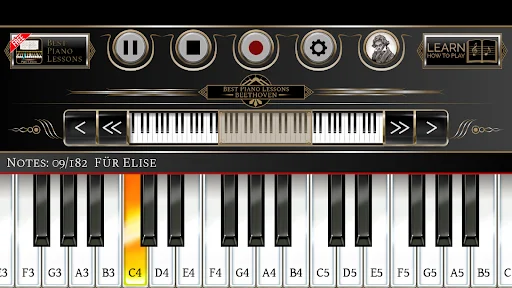
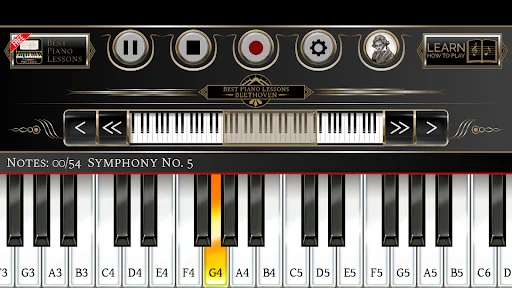
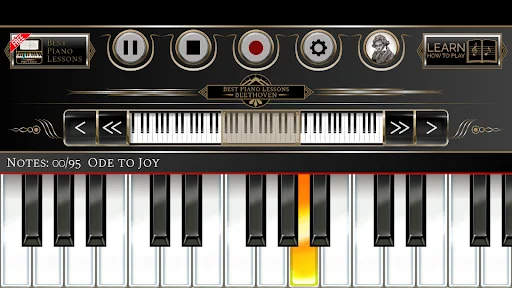
Follow highlighted yellow keys to learn each song step-by-step. Get instant feedback and earn 3 stars for perfect performances.

2

Beethoven Song Library

Access classic pieces like Für Elise, Symphony No. 5, and Ode to Joy. Learn the masterworks that defined classical music.

3

Record and Share

Save your performances and share them in the Cloud Playlist. Let other users rate your progress and build your musical confidence.

4

Customizable Piano Keys

Adjust from 10 to 24 visible keys and move octaves left or right. Perfect multitouch response works on any screen size.

About Piano Lessons Beethoven

★ The greatest piano app ★

★ Play your favourite songs ★

★ Designed and tested by professional musicians ★

Can you imagine a moment without your beloved piano? Don't worry, you can take it in your pocket now!

Do you want to learn the piano? Now it's possible with the Best Piano Lessons Beethoven application. This music app is very simple to use. You can choose from many songs!

Play a song from our list, listen to it, and then click on "Learn how to play". Click on the highlighted yellow keys and play the whole song. The application will rate your performance. Become a champion and get 3 stars for each played song!

Are you proud of your recorded song? Share it with other users in the Cloud Playlist. They will rate your song!

Examples of songs in our application:

  • L. van Beethoven - "Symphony No. 5"
  • L. van Beethoven - "Für Elise"
  • L. van Beethoven - "Symphony No.7"
  • L. van Beethoven - "Ode to Joy"
  • L. van Beethoven - "Heroic Symphony"
  • L. van Beethoven - "Violin Concerto in D major"
  • L. van Beethoven - "Minuet in G Major"
  • L. van Beethoven - "Rondo a capriccio op. 129"
  • L. van Beethoven - "Sonata Pathetique"

The application can also be used as a piano without learning mode. There is also an option to record your own songs. The recording function will allow you to save your musical compositions and play them later. You can set the amount of visible piano keys from 10 to 24. You can move the keyboard with one key or one octave to the right or to the left. This magic keyboard piano will be like your virtual teacher.

⭐ Piano Learning Lessons - Always in your pocket!

This magic keyboard piano will become your virtual teacher! The Best Piano Lessons Beethoven is the best solution for both beginners and masters of the piano.

Learning with Piano Lessons for Beginners will be fun!

Download this music instrument and learn to play the piano. Become a famous composer like Mozart or Beethoven.

Amazing Features:

  • Multitouch
  • Learning mode
  • Load and save songs
  • Recorder
  • Tablet support
  • Piano keys from 10 to 24
  • Free
  • HD graphics
  • Works with all screen resolutions
  • Perfect for musicians

Best Piano Lessons Beethoven is the best solution for both beginners and masters of the piano. Learning will be fun!

Download this music instrument and learn to play the piano, compose, and enjoy. Play, learn, compose, have fun.

⭐ Feel the power of music with Piano Lessons for Beginners!
See the magic in action

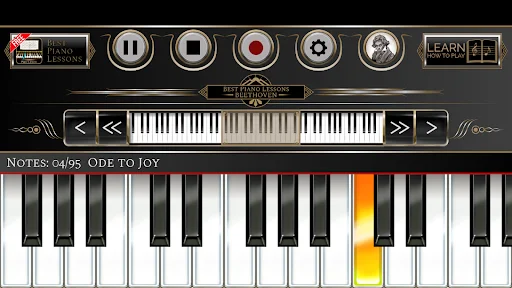
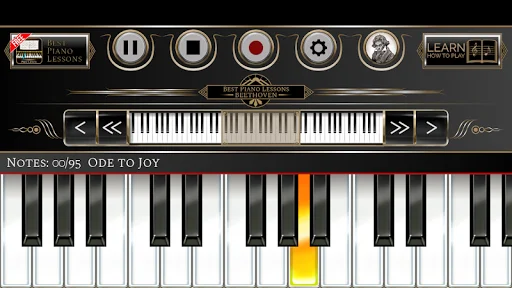
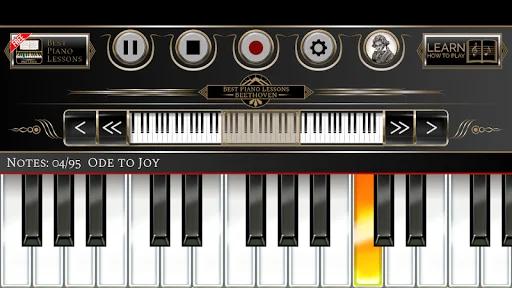
Piano lesson interface for Beethoven's Ode to Joy with highlighted keys on virtual piano keyboard and control buttons at top
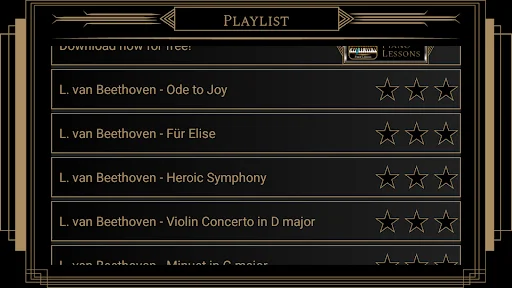
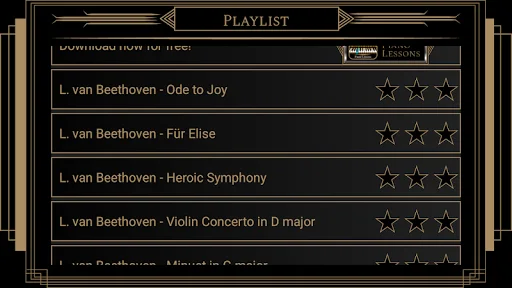
Playlist of Beethoven compositions including Ode to Joy, Für Elise, and Heroic Symphony with star ratings for each piece
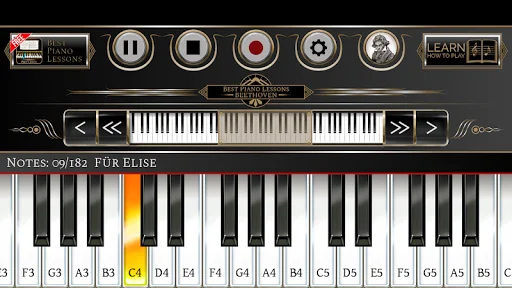
Piano lesson for Für Elise showing labeled piano keys C4, D4, E4 with highlighted note sequence on virtual keyboard
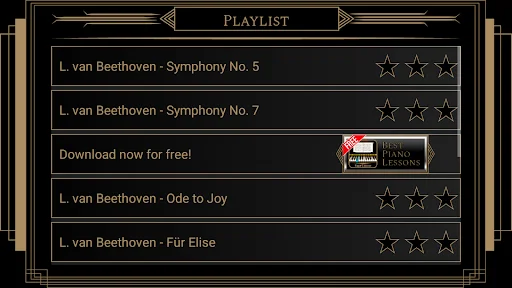
Beethoven playlist featuring Symphony No. 5, Symphony No. 7, Ode to Joy, and Für Elise with download option
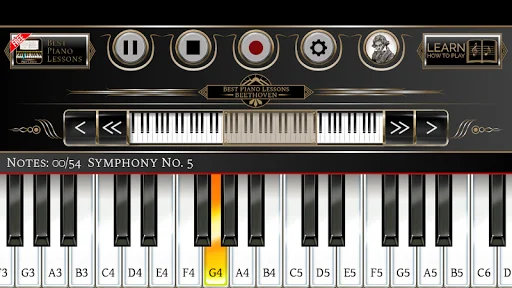
Interactive piano lesson for Symphony No. 5 with labeled keys and highlighted yellow notes on the keyboard display
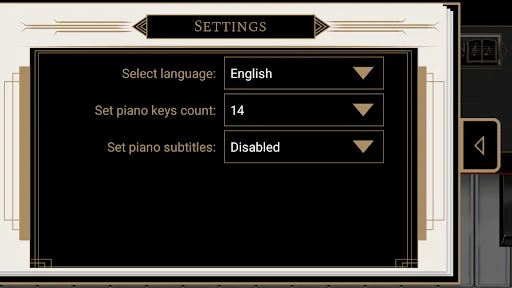
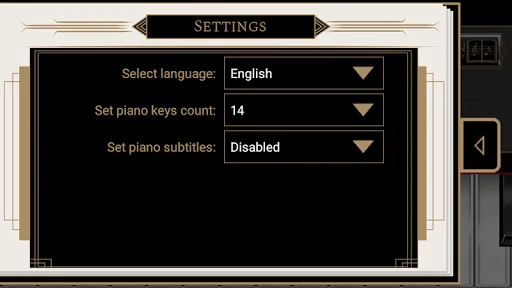
Settings menu showing language selection, piano keys count configuration set to 14, and piano subtitles options
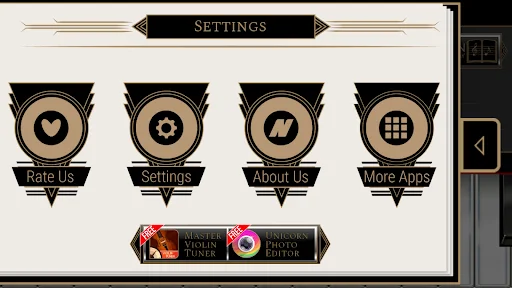
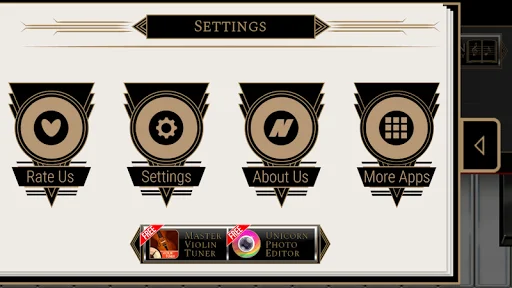
Settings panel with four buttons for Rate Us, Settings, About Us, and More Apps to access additional features
Piano lesson interface displaying Ode to Joy notes with highlighted orange and yellow keys on the virtual keyboard
Piano keyboard tutorial showing Ode to Joy with note labels F3 through C and highlighted yellow key sequence
Playlist menu displaying Ludwig van Beethoven pieces including Ode to Joy, Für Elise, Heroic Symphony with ratings
Piano lesson tutorial for Für Elise with labeled piano keys showing the note sequence to play
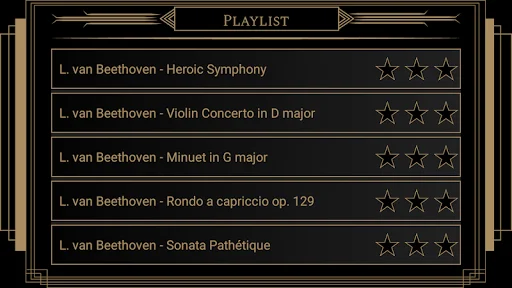
Beethoven composition playlist featuring Heroic Symphony, Violin Concerto, Minuet in G major, and Sonata Pathétique
Interactive piano lesson for Ode to Joy with highlighted keys and note labels on the virtual keyboard
Settings screen with dropdown menus for language selection, piano keys count 14, and piano subtitles disabled
Piano lesson for Symphony No. 5 with labeled keys C4 through D and highlighted yellow notes on keyboard
Settings menu with icons for Rate Us, Settings, About Us, More Apps and related music apps information

Join over 1 million happy pianists

i really enjoy this game because it teaches you the different keys in the piano and this app also teaches you how to playa specific song. Not all t...

This piano app is very good I learned a lot of Beethoven songs in like one day this app is very good for any ages this app is my favorite piano app...

I find that this is a very interesting learning curve to improving your skill and ability and knowing more about playing the keyboard

Its good because you can play beethoven songs that you always dreamed of if you dont have a piano

This is just- awesome. I quited learning for a year and this brings back my memories.

Great app ,to learn Classical music I've Beethoven, Chopin or even Mozart.

Start your piano journey today!

Join millions of satisfied users who have already discovered the power of Piano Lessons Beethoven.

4.3 average rating
Safe & Secure
Regular Updates