Video, MP3 to Vocal & Karaoke icon

Create Karaoke from Any Song Instantly

Remove vocals and separate instruments from your favorite videos and music using AI technology. Practice singing, create covers, or make instrumental remixes right from your phone.

4.0
50,000+ downloads
Join thousands of users

Everything you need to perfect your sound

1

AI-Powered Vocal Separation

Get crystal-clear vocal and instrumental tracks separated by smart AI technology. No more searching for karaoke versions – create professional-quality backing tracks from any song in seconds.

2

Extract Individual Instruments

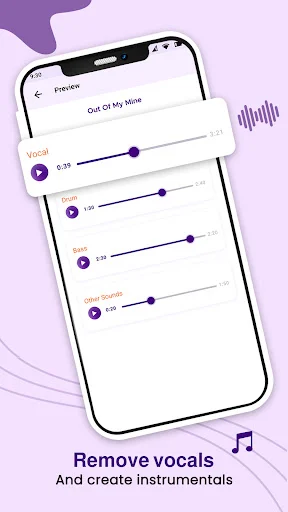
Isolate bass, drums, piano, and other instruments separately. Perfect for musicians learning new songs, DJs creating remixes, or anyone who wants to study specific parts of a track.

3

Works with Videos Too

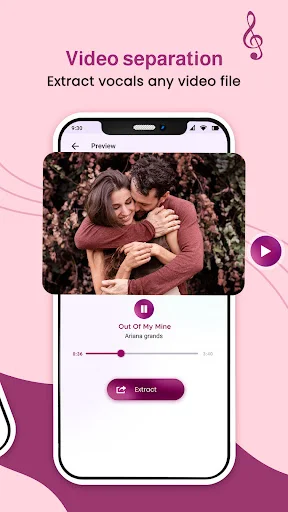
Not just audio files – extract vocals and instruments from video files in all formats. Turn music videos, live performances, or any video into karaoke tracks you can use anywhere.

4

Save and Share Instantly

Keep all your separated tracks organized on your device and share them with friends and family. Build your personal library of practice tracks and instrumental versions ready whenever you need them.

About Video, MP3 to Vocal & Karaoke

Want to eliminate vocals from video and audio for an instrumental remix?

Now, You can easily separate instrumental from video and songs for karaoke by using this Video, MP3 to Vocal & Karaoke app. This is really an amazing app for singers who want to practice singing and can practice from a smartphone.

Separate songs and remove vocals, extract instrumental, Drums, and Bass using AI from the video and audio songs. You get the separate files of vocals, all instruments together, and also separate instruments like bass drum piano, etc. Save the separated vocal and instrumental results easily on your mobile device and can share them with your friends and family.

This Instant Karaoke Making app will allow transform songs and videos from your phone to karaoke easily and for free. In a few seconds, you can eliminate vocals from songs and videos, bass, drums, piano, and other musical instruments.

How to remove a voice from mp3 tracks for karaoke?

  1. Choose the audio files from the device for separating vocals and instrumentals.
  2. Click on extract and get options such as instrumental & vocal, and vocal, drum, bass, piano & others for karaoke.
  3. After separating it, you can listen separately to the vocal and instrumental audio.
  4. Easily share the vocal, instrumental, and respective separate instruments audio files with friends and family.

How to remove vocal & instrumental from video files for karaoke?

  1. Pick the video file from the device to eliminate vocals and instrumentals.
  2. Click on extract and get options such as instrumental & vocal, and vocal, drum, bass, piano & others for karaoke.
  3. After eliminating the video file, you can listen separately to the vocal and instrumental audio.
  4. Easily share the vocal, instrumental, and respective separate instruments audio files with friends and family.

Features of Vocal Remover from MP3 songs and Video:

  • Simple and easy to use Video, MP3 to Vocal & Karaoke maker app.
  • All audio and video format support.
  • You can separate vocal and instrumental from video files.
  • Separate vocals using AI (Artificial Intelligence) from audio songs and video.
  • You can get separate files of vocal, instrumental, bass, drums, piano, and more.
  • Get the vocal, and instrumental karaoke files output directly saved in your device.
  • Share your instrumental and vocal files, with friends and family.

Video, MP3 to Vocal & Karaoke app is a very useful app for musicians, DJs, cover makers, and others. This is the best app for karaoke, as it gets original tracks from audio sounds and video with high output.
See how easy it is to get started

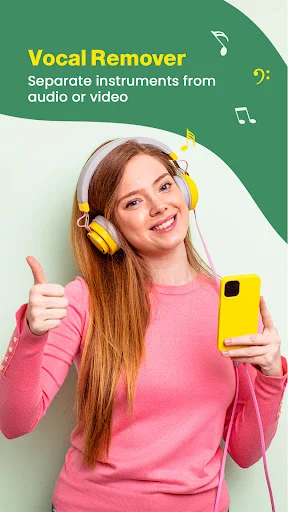
Vocal Remover app intro screen with woman wearing yellow headphones holding smartphone, promoting audio and video vocal extraction
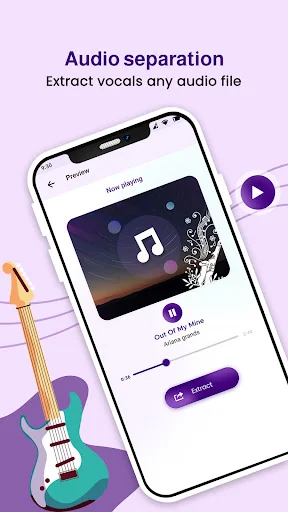
Audio separation feature preview showing music track preview with vocal extraction and extract button for audio files
Video separation feature preview showing video preview with vocal extraction and extract button for video files
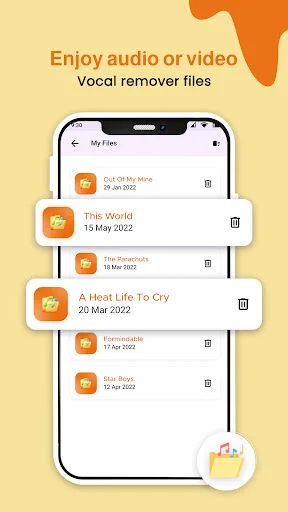
My Files list view displaying saved vocal remover extractions including songs with dates for file management
Vocal removal preview showing audio track sliders to adjust and remove vocals from song
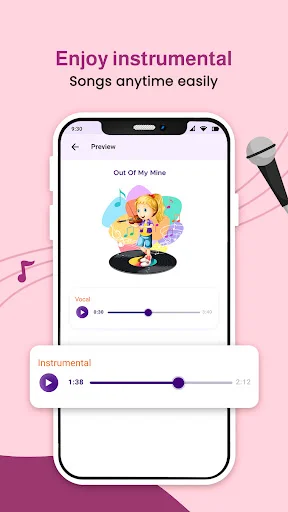
Instrumental preview showing vocal and instrumental sliders for karaoke playback experience
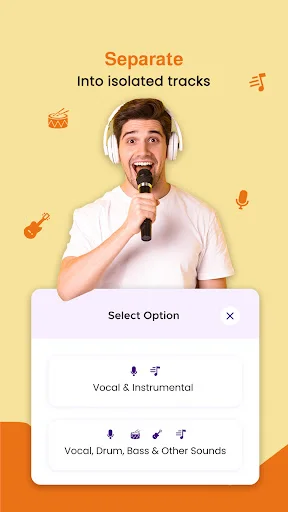
Separation options dialog menu selecting between Vocal & Instrumental or Vocal, Drum, Bass & Other Sounds track isolation

Join thousands of singers and musicians

A good app, works fine. produce pure vocal and instruments, and it is firster

best app to extract audio file and to save it seperated

Very easy to use, perfect, and on point

very useful and nice sound quality

super video to vocal remover

Best app for karake

Start creating karaoke tracks today – download now!

Join thousands of users who trust Video, MP3 to Vocal & Karaoke for their needs.

4.0 average rating
Safe & Secure
Regular Updates