Guitar Tuner App - Prepare For Your Next Practice!
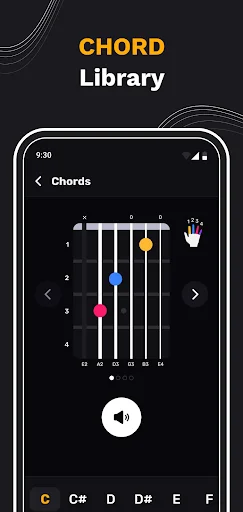
Bring tuning, chord reference and a steady beat into one practice routine. With Guitar Chords And Tabs, you can explore diagrams and hear chord sounds before working on the changes yourself. Choose the tools you need without turning a short session into a complicated setup.
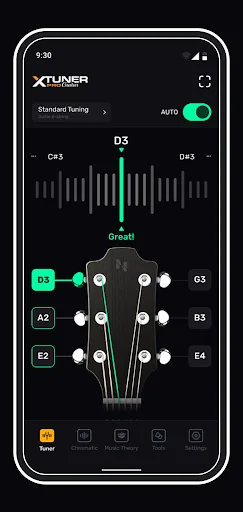
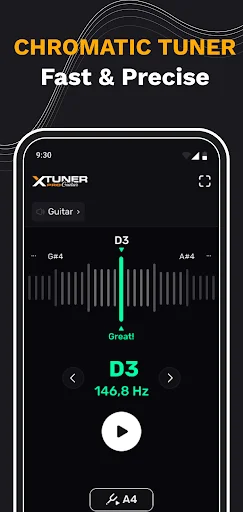
An Electric Guitar Tuner Tool helps you check pitch before playing. Switch between automatic, manual and chromatic modes, then choose a preset or make a custom tuning.
App Features:
- Tuning Guitar Tool Kit - Choose automatic, manual or chromatic tuning
- Simple Guitar Scales & Chords practice can use the metronome and chord reference alongside your own scale exercises
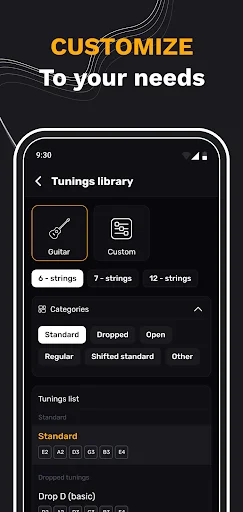
- Tuning App For Guitar - Explore presets for 6, 7 and 12 strings
- Tuner Guitar App - Listen to reference sounds and compare the notes you play
- Acoustic Guitar Tuning App - Prepare an acoustic instrument for your session
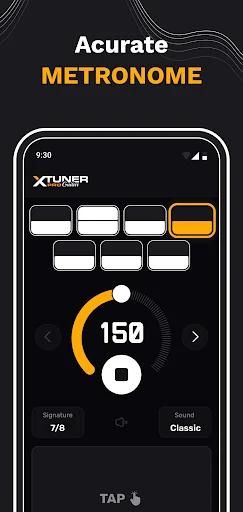
- Metronome - Set a tempo from 20 to 300 beats per minute and adjust the time signature
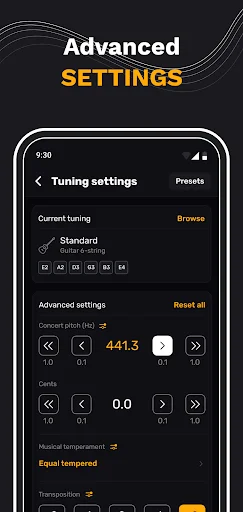
- Pitch settings - Adjust concert pitch, transposition and the frequency filter
- Offline use - Keep tuning and practice tools available without a network connection
Give Each Note Your Attention!
Use the Guitar Tuner App in a quiet space so surrounding sound interferes less with note recognition. Play one string at a time, let it ring and make small adjustments rather than turning a peg sharply. Microphone quality, background noise and how clearly you play can affect readings.
For chord practice, Guitar Chords And Tabs provides diagrams and sounds to compare with your playing. These are chord references, not a collection of complete song scores.
How To Use:
- Open the Electric Guitar Tuner Tool and allow microphone access when requested
- Choose a preset in the Tuning Guitar Tool Kit or configure a custom tuning
- Use the Tuning App For Guitar to select your preferred tuning mode
- Play a string and watch the Tuner Guitar App as you adjust its pitch
- Check the remaining strings with the Acoustic Guitar Tuning App
- Set the metronome tempo before starting your exercises
- For Simple Guitar Scales & Chords practice, bring your own scale material and use the beat and chord diagrams as supporting tools
Listen As You Tune:
Manual mode lets you select a reference sound and compare it by ear. The Electric Guitar Tuner Tool also offers automatic note recognition and chromatic mode, so you can use the approach that suits your instrument and experience. Recheck the strings after adjustments.
Make Room For Different Tunings:
Standard tuning is only one starting point in the Tuning Guitar Tool Kit. Explore alternatives such as Drop D or Open G, and use custom settings when a piece calls for something else. The Tuning App For Guitar lets you adapt the setup instead of changing your practice plan.
Build A Steadier Routine:
Keep Guitar Chords And Tabs close while learning shapes, then use the metronome to practise transitions at a manageable pace. Simple Guitar Scales & Chords describes a practice goal here, not a promise of built-in scale lessons. Use your own exercises and increase the tempo only when ready.
Return To Your Instrument:
The Acoustic Guitar Tuning App supports preparation for a quick session or longer practice. A Tuner Guitar App is a useful reference, but listening to your instrument still matters.
Start With A Thoughtful Sound Check!
Keep the Guitar Tuner App nearby for tuning, chord reference and rhythm practice, then spend your time playing.