Flute Tuner With Metronome - Check Pitch and Practise!
Prepare for a session with automatic, manual and chromatic tuning tools in one place. Perfect Flute Tuner works offline, so you can check a note and move on to rhythm practice without an internet connection.
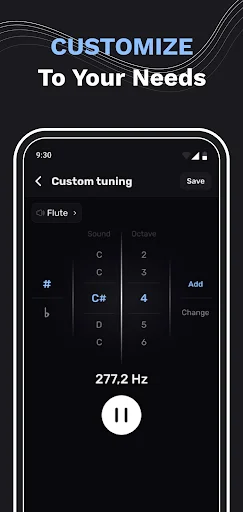
Looking for Flute Tuner Tenor? Start with the available presets and choose settings that match your instrument rather than assuming a particular tuning is included. This Flute Instrument Tuner App lets you adjust concert pitch, transposition and custom tuning for your own setup.
App Features:
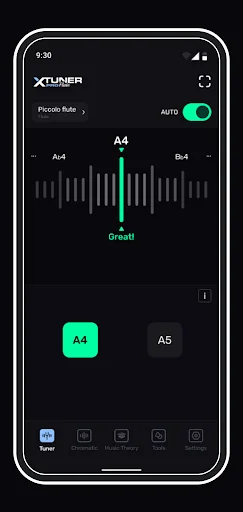
- Automatic mode - Play a note and check the detected pitch
- Manual mode - Select a specific reference sound to tune by ear
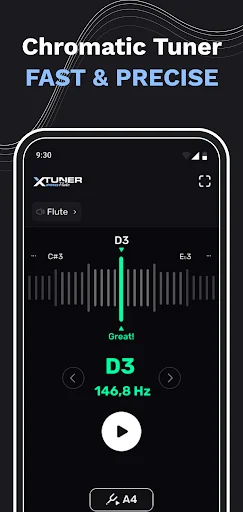
- Chromatic mode - Check notes across the chromatic scale
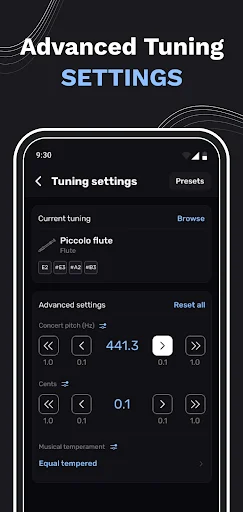
- Pitch settings - Adjust concert A in Hz and view deviation in cents
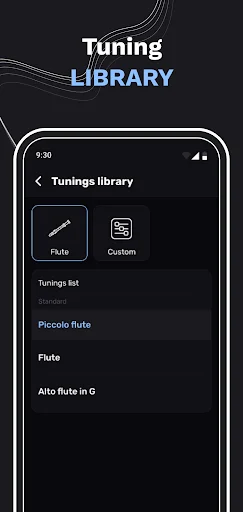
- Custom setup - Explore instrument presets, transposition and the frequency filter
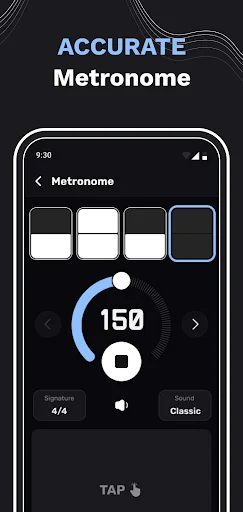
- Flute Tuner With Metronome - Set a pulse from 20 to 300 BPM
- Tap tempo - Tap a beat or set the tempo precisely and choose a time signature
- Offline use - Keep tuning tools available without an internet connection
Build a Repeatable Tuning Routine!
If Flute Tuner Altro brought you here, explore the actual tuning library and custom controls before choosing a target note. The phrase is not the name of a dedicated mode. Use a clear, sustained sound and play it several times to help the app recognise its pitch.
With Perfect Flute Tuner, the cents display helps you see how far a note lies from the reference. Make a small adjustment, play again and compare the reading. A quieter space and steady playing can help; microphone quality and surrounding sound may affect recognition.
How To Use:
- Open the Flute Instrument Tuner App and select automatic, manual or chromatic mode
- Check the available preset and choose a suitable target or custom tuning
- Set concert pitch and transposition to match your musical context
- Play a clear note several times and observe the pitch reading
- Adjust your instrument, then check the note again
- Open Flute Tuner With Metronome tools and select a tempo and time signature
- Tap a beat or enter the tempo precisely, then practise with the pulse
Reference Sounds for Listening:
The app includes sounds recorded by musicians, with synthetic sounds where a musician could not generate the required tone. Manual selection gives you a reference to compare by ear. Use the reference alongside the pitch display as you prepare your flute.
Settings That Fit Your Session:
For a Flute Tuner Tenor search, check the available tuning options first. Adjust the supported controls to suit your setup; no dedicated tenor mode is promised. Keep the chosen reference consistent while comparing notes.
Explore the Available Library:
When using Flute Tuner Altro as a search term, rely on the app's listed presets and custom tuning rather than an assumed instrument variant. The Flute Instrument Tuner App brings those settings together with pitch and rhythm tools.
Practice and Access:
Perfect Flute Tuner supports offline tuning. The listing offers optional paid ad removal through a one-time premium purchase or subscription. Check the current in-app offer before choosing either option.
Get Ready for Your Next Session!
If your search was Flute Tuner Tenor, begin with a suitable reference and a clear note. If you searched for Flute Tuner Altro, explore the same available tuning tools, then set a beat and practise at your own pace.