Balalaika Tuner With Metronome - Prepare Your Next Practice!
Check your pitch, listen to reference sounds and settle into a steady beat. Perfect Balalaika Tuner brings automatic, manual and chromatic tuning together with rhythm tools for your daily sessions.
Use Balalaika Tuner Tenor to compare a played note with the selected reference. Choose settings that match your instrument and tuning rather than assuming that a search term identifies a dedicated mode.
App Features:
- Balalaika Tuner With Metronome - Move from pitch checks to rhythm practice
- Balalaika Tuner Tenor - Listen and compare with the chosen target sound
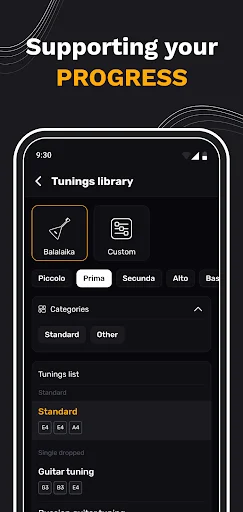
- Balalaika Tuner Altro - Explore the available presets and custom tuning
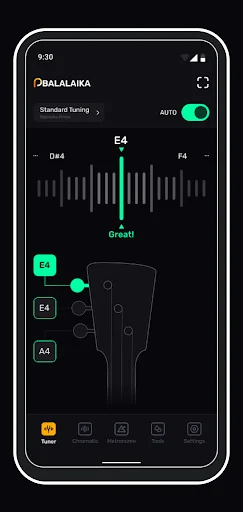
- Perfect Balalaika Tuner - Use automatic, manual or chromatic mode
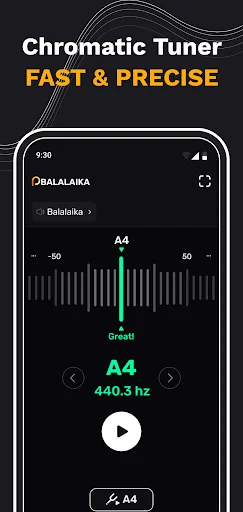
- Balalaika Instrument Tuner App - Check deviation from the reference in cents
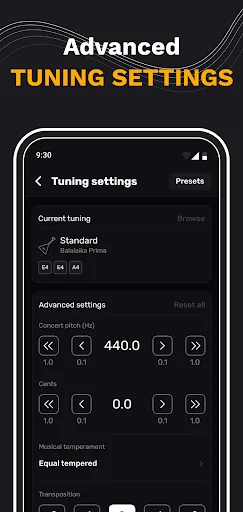
- Pitch settings - Adjust concert pitch in Hz, transposition and the frequency filter
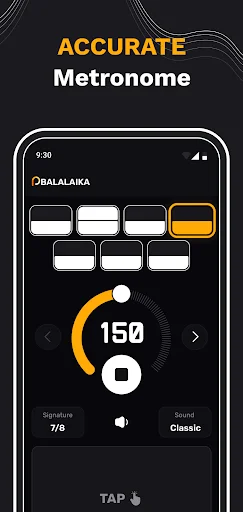
- Tempo controls - Tap a beat or set a tempo from 20 to 300 BPM
- Reference sounds - Hear recorded instrument sounds and synthesized tones where needed
- Offline tuning - Keep supported tuning tools available without an internet connection
Make Time for Pitch and Rhythm!
Start with a note, make a small adjustment and play again. Balalaika Instrument Tuner App lets you review the reading as you work toward the selected pitch. Repeating a clear sound can help automatic recognition settle.
With Balalaika Tuner Altro, focus on the settings actually available in the app. Auto, manual and chromatic are the documented tuning modes; Tenor and Altro wording does not add separate modes or guarantee a preset for every instrument variant.
How To Use:
- Open the app and allow microphone access for sound detection
- Select automatic, manual or chromatic tuning
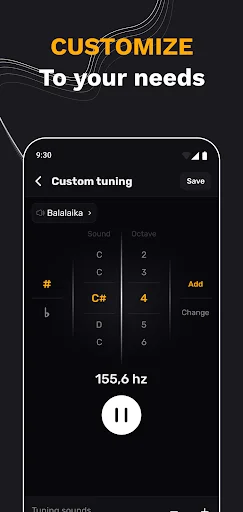
- Choose an available preset or configure a custom tuning
- Play a clear note and review its detected pitch
- Adjust your instrument and repeat the note to check again
- Set concert pitch or transposition if your practice requires it
- Choose the tempo and time signature, then practice with the metronome
Build a Practice Routine:
Balalaika Tuner With Metronome keeps pitch and timing tools together. Check the instrument before a session, then choose a comfortable beat for working through a passage.
Compare Notes Carefully:
With Balalaika Tuner Tenor, use the selected sound as your reference and listen as well as watching the display. Microphone quality, background noise and how steadily you play can affect recognition.
Choose the Right Settings:
Balalaika Tuner Altro offers the same available controls for configuring your session. Check presets before using them, and use custom tuning when you need to enter a different target rather than relying on a name alone.
Keep Useful Feedback Nearby:
Perfect Balalaika Tuner shows pitch deviation in cents and includes an instrument head view. Adjust the reference frequency and review the reading without treating it as a guarantee of exact results.
Practice at Your Pace:
Balalaika Instrument Tuner App includes tap tempo and an adjustable time signature. Begin at a manageable speed and change it as needed; the beat is a practice aid, not a promise of musical progress.
Get Ready to Play!
Bring a clearer pitch reference and a chosen rhythm to your next session. Tune in a quiet place, listen closely and use the settings that suit your instrument.